AI agents that QA-test and security-scan your site from a URL.
Give AuditWard a URL and tell it what to check. A Planner writes the test checklist. An Explorer runs it in a real browser while security tools probe the target. Then an Analyst turns the evidence into triaged, compliance-tagged findings.
One audit, both jobs.
Most tools make you pick: a QA product that scripts user flows, or a security scanner that probes infrastructure. AuditWard runs both from one URL. One pipeline drives the browser QA agents and the security tooling, then merges everything into a single findings dashboard, report, and risk score per project.
Like a QA engineer
Real Chromium sessions run a checklist built from your instructions. There's no test suite to write or maintain. The audit finds what a human reviewer would catch: empty content, placeholder data, logic inconsistencies, UI anomalies, accessibility problems, and console and network errors. Screenshots highlight the problem elements, and the analysis flags inconsistencies across steps.
Like a pentester
curl, testssl.sh, Nuclei, Nmap, Gobuster, nslookup, and WhatWeb run in a defined order. Outputs are parsed into findings, triaged deterministically and LLM-validated with confidence scores, deduplicated, and fed through an intelligence layer that uses what it finds to probe your first-party surface further.
About AuditWard
AuditWard runs continuous, authorized security scanning and AI-driven QA on the websites you own. We are AuditWard, LLC, a Delaware company hosted on AWS in the United States. Read who we are and how our scanning works.
Who we are →How an AuditWard audit runs.
It goes from a single URL to compliance-tagged findings. AI plans the audit, then agents run it in a real browser and with real security tools. Every conclusion stays tied to captured evidence.
URL + intent
Paste a URL and what to verify, whether that's a spec, a diff, or just something you're worried about. No test scripts, no repo access, no instrumentation.
Plan
An LLM Planner reads the live page and your instructions and builds a grounded checklist of high-value checks.
Execute
An Explorer agent drives a real Chromium browser and screenshots each step, while curl, testssl.sh, Nuclei, Nmap, Gobuster, nslookup, and WhatWeb run against the target in a defined order.
Analyze
An Analyst reviews the evidence, cross-checks steps against each other, triages with confidence scores, and tags findings to PCI DSS 4.0, SOC 2®, GDPR, OWASP Top 10, HIPAA, and ISO 27001.
Needs a login? If the scan needs credentials, it pauses and asks. Answer in the dashboard or from your coding agent, and it resumes. Answers are encrypted before storage and never kept in plaintext. Available on paid plans.
Planner, Explorer, Analyst, and real security tooling behind them.
Everything below ships in the product today: judgment-grade QA findings and real security tools with LLM triage. The evidence is there to act on.
Judgment findings, not pass/fail scripts
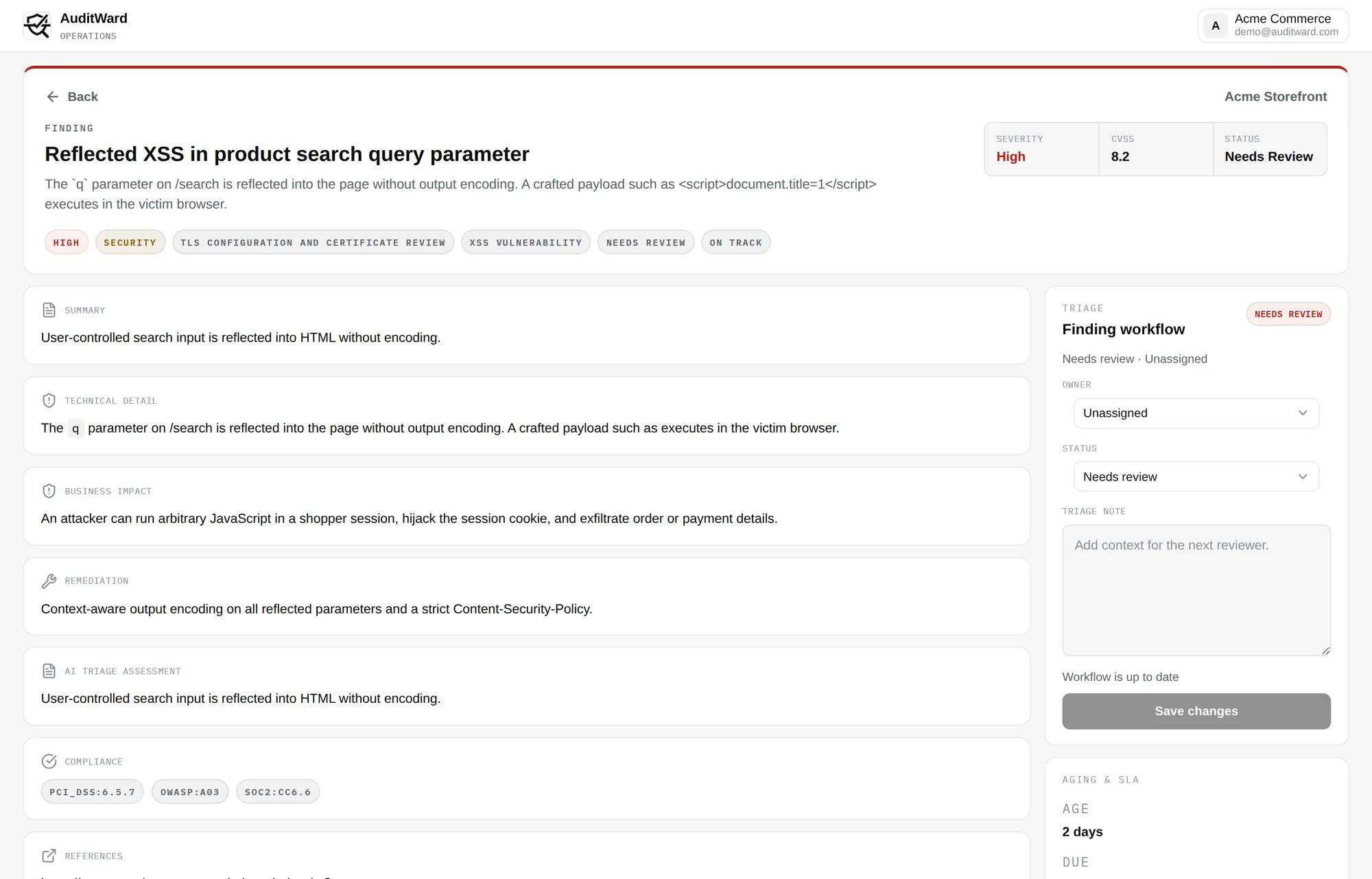
After every run, a dedicated Analyst agent reviews the evidence and flags what a human reviewer would: empty content, placeholder data, logic inconsistencies, UI anomalies, and accessibility problems. Screenshots highlight the problem elements.
Real security tools + LLM triage
curl, testssl.sh, Nuclei, Nmap, Gobuster, nslookup, and WhatWeb run in a defined order. Parsed outputs go through deterministic triage and LLM validation with confidence scores. An intelligence layer then uses signals from those findings to probe further across the whole scan.
Per-finding compliance tagging
Every finding is individually tagged against PCI DSS 4.0, SOC 2®, GDPR, OWASP Top 10, HIPAA, and ISO 27001. It's per finding, not a compliance summary stapled to the back of the report. Team and above can also export dated evidence for SOC 2 work as a JSON file and a PDF.
MCP server
Run a full QA + security audit from Claude Code or any MCP client. Six tools, secured with OAuth 2.0 + PKCE and refresh tokens.
Read the MCP docs →Pause-and-resume credential flow
When a scan needs credentials or context, it pauses with structured questions. You answer in the dashboard or from your coding agent, answers are encrypted and never stored in plaintext, and the scan resumes.
Finding lifecycle
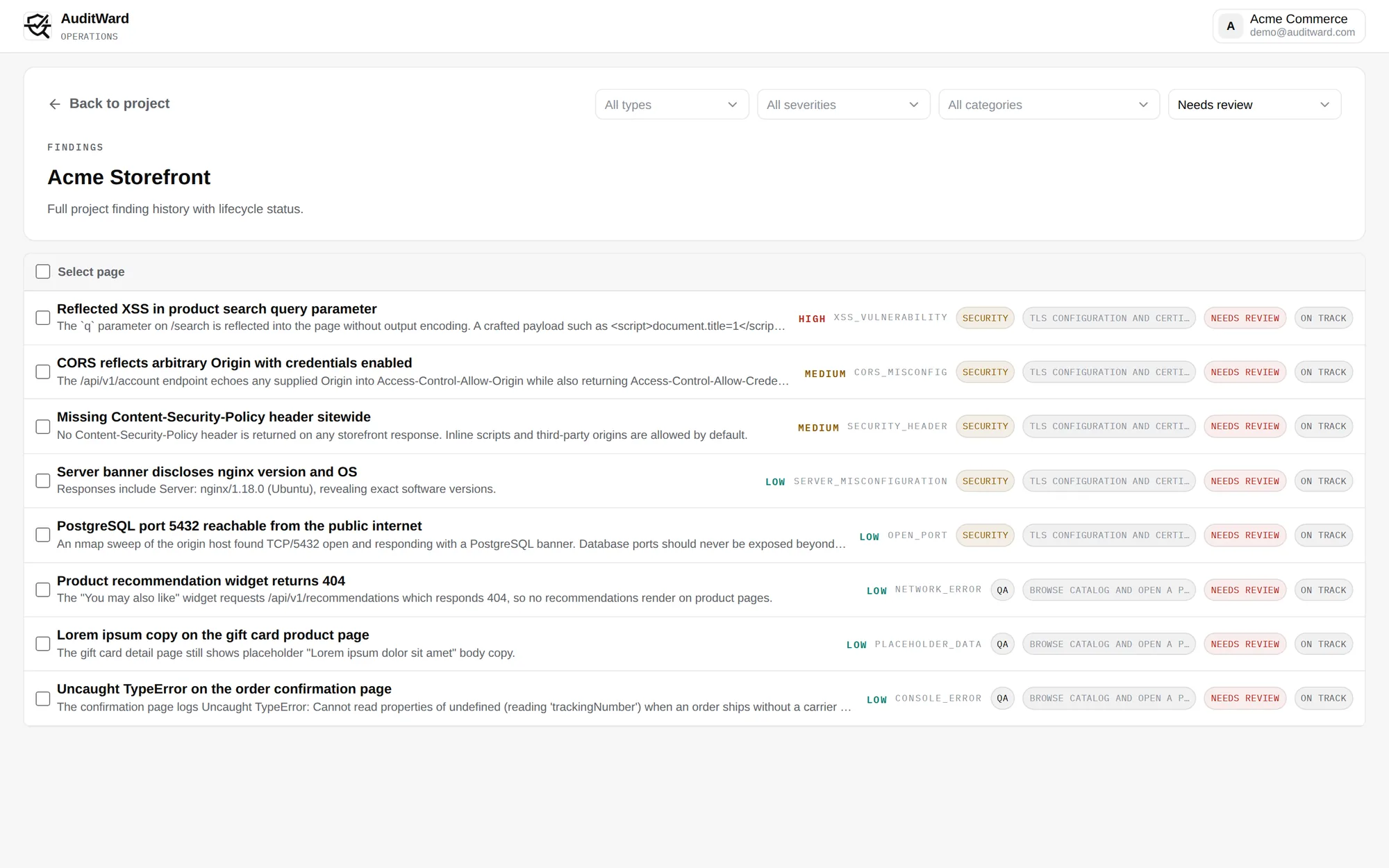
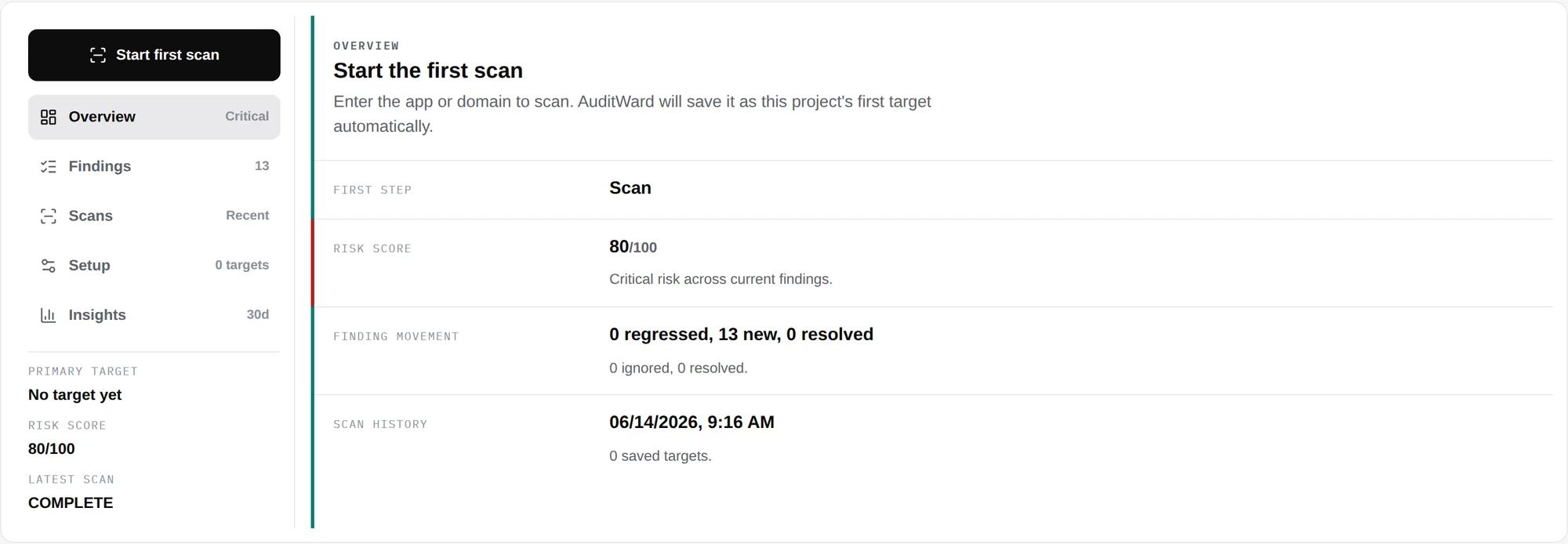
Findings deduplicate across scans with first-seen and last-seen tracking, workflow statuses, assignees, severity-based remediation SLAs, and a computed risk score per project.
Reports you can hand to an engineer, or an auditor.
Every audit ends in something you can open, not a vague summary. You get a pentest-style PDF report with a cover page, scope, evidence screenshots, validation verdicts, and a tooling appendix listing versions. Alongside it, a live dashboard shows the screenshot feed and a compliance-tagged findings list.
The PDF report
Structured like the deliverable from a security engagement: cover page, table of contents, revision history, scope, findings with evidence screenshots and validation verdicts, and a tooling appendix listing each tool and version used.
The live dashboard
Watch the audit as it runs. You see a live screenshot feed from the browser session, checklist progress, and findings as they're triaged. Each finding carries a severity, a confidence score, and the compliance frameworks it maps to.
QA and security in one subscription, from $0.
Every plan runs both jobs in a single audit: browser QA and a real security scan on a domain you have verified. Start free, then move up when you need more scans.
Real scanning, with a paper trail.
A scanner is only as trustworthy as its authorization model. AuditWard only scans targets its customers are authorized to test, and it records who authorized every session. Resource owners get a permanent way out. All of it runs on isolated AWS infrastructure, encrypted in transit and at rest.
See our full security and trust overview for how we verify domains, encrypt your data, and handle AI processing.
- DNS TXT domain verification before scans
- Authorization audit trail on every session
- Global scan opt-out registry, enforced before any scan starts
- Credentials encrypted, never stored in plaintext
- Identifiable scanner User-Agent, scanner transparency
- Responsible disclosure policy, read it here
Common questions.
Do I need to write test scripts?
No. You give AuditWard a URL and plain-language instructions about what to verify. An LLM Planner builds the test checklist from the live page. There's no test suite to build or maintain.
Can it test pages behind a login?
Yes. When a scan needs credentials or context, it pauses and asks you structured questions. You answer in the dashboard or from your coding agent, and the scan resumes. Answers are encrypted before storage and never kept in plaintext. Available on paid plans.
Is it legal to scan my site?
You must be authorized to test the target. AuditWard verifies domain ownership via DNS TXT records, records an authorization audit trail on every session, and enforces a global scan opt-out registry before any scan starts.
Does this replace a manual pentest?
No. AuditWard is continuous automated QA and security auditing with evidence. It's useful between and alongside formal penetration tests, but it is not a certified penetration test or an ASV scan.
Which compliance frameworks are findings tagged to?
PCI DSS 4.0, SOC 2®, GDPR, OWASP Top 10, HIPAA, and ISO 27001. Team and above can also export dated evidence for SOC 2 work as a JSON file and a PDF.
How is this different from a raw browser-automation MCP server?
Raw browser control returns page state and burns your agent's context window. AuditWard plans the checklist, runs the browser and the security tooling itself, and returns triaged, severity-ranked, compliance-tagged findings with screenshot evidence and a PDF report.
What does each plan include?
Basic is free: 1 scan per month with the first 3 findings per scan visible. Starter ($49/month) shows all findings and adds MCP access and credential Q&A for scans behind a login. Team ($199/month) adds a shared workspace, RBAC, and compliance export. Business is custom.
What tools does the security scan run?
curl, testssl.sh, Nuclei, Nmap, Gobuster, nslookup, and WhatWeb. They run in a defined order, get parsed into findings, then triaged deterministically and validated by an LLM with confidence scores.
How do I get started?
Create an account at platform.auditward.com/register, verify a domain you are authorized to test, and run your first audit on the free Basic plan. That's 1 scan per month with the first 3 findings visible. Paid plans are self-serve.
Run your first audit today.
AuditWard is live. Create an account, verify a domain you're authorized to test, and get triaged QA and security findings from your first scan. It's on the free plan, with no sales call.
Start with one free audit
The Basic plan includes 1 combined QA + security scan per month with the first 3 findings per scan visible. Upgrade self-serve when you need more.
Talk to the team behind the audits.
Questions about how the audits work, or about rolling AuditWard out across a team? We can walk through how it fits into your release process.
Enterprise plans, SSO, dedicated support, and rollout help for larger organizations.
A free plan and self-serve pricing for lean product teams that need faster regression and security feedback.